
How to Join a Meeting via Calendar?
The most convenient way to access scheduled meetings, lectures, or gatherings is by using the Teams calendar.
Step 1: Open the Calendar
Step 2: Find the Meeting
Review your weekly agenda and locate the specific meeting you wish to attend.
Step 3: Join the Conversation
Once you find the required event, click on it or directly press the Join button (see Fig. 1).
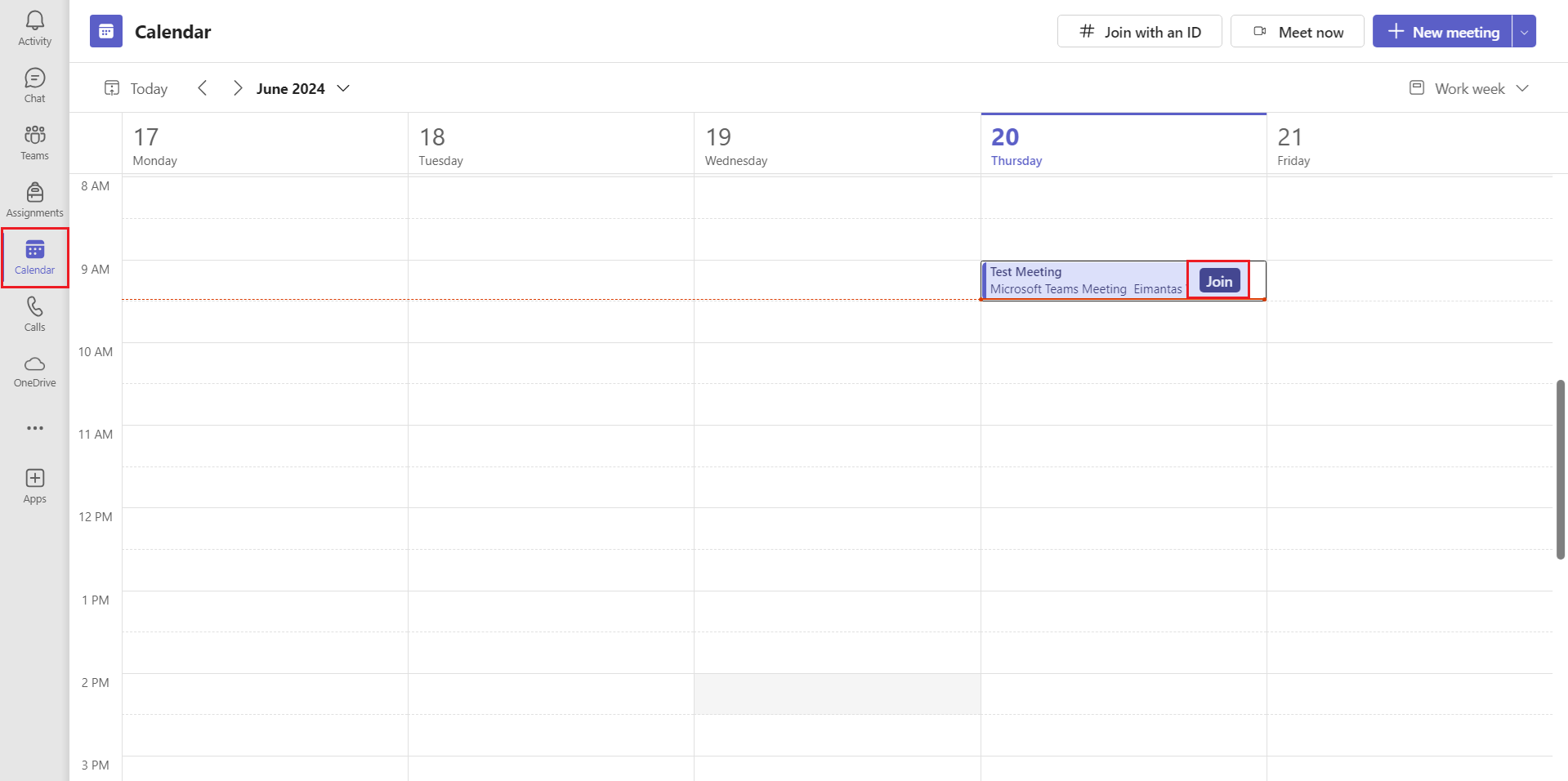
Fig. 1. Teams calendar view with the "Join" button
💡 Useful to Know
By joining via the calendar, you can see the following in advance:
-
The meeting agenda or any attached files.
-
Who else has been invited to the meeting.
-
The entire chat history that took place before the meeting started.